Create Verifier Template
With a Verifier Template, you can define which credentials you want to receive from your customers. For each use case, you can define a different Verifier Template.
Create a new Verifier Template
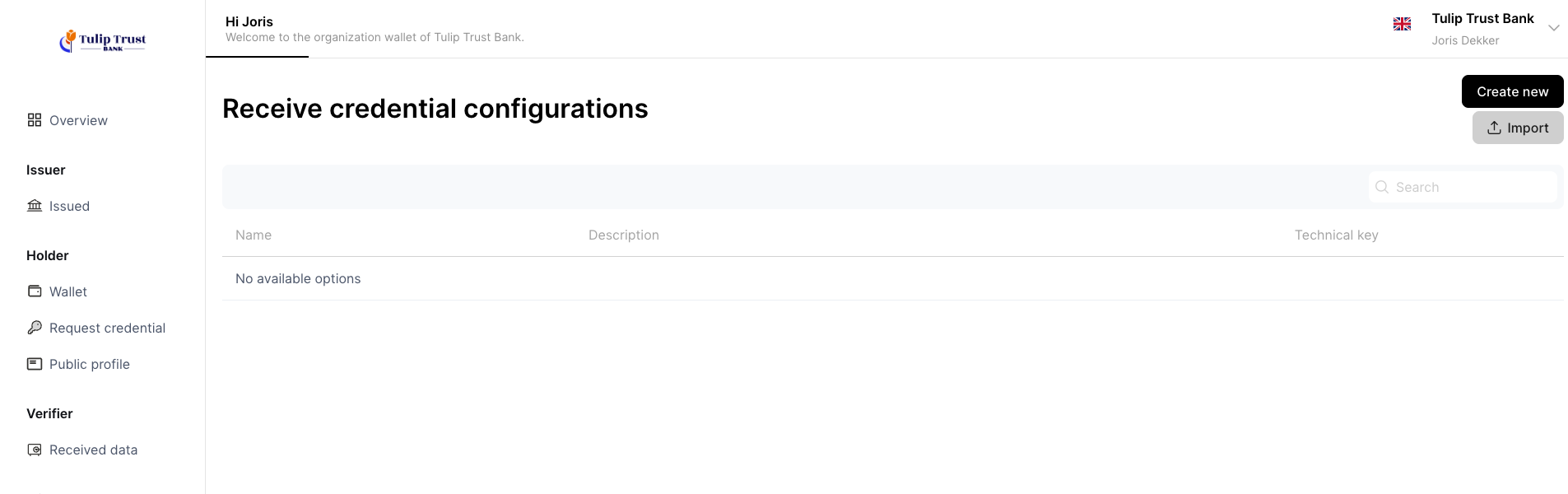
Choose Create New to create a new Verifier Template.
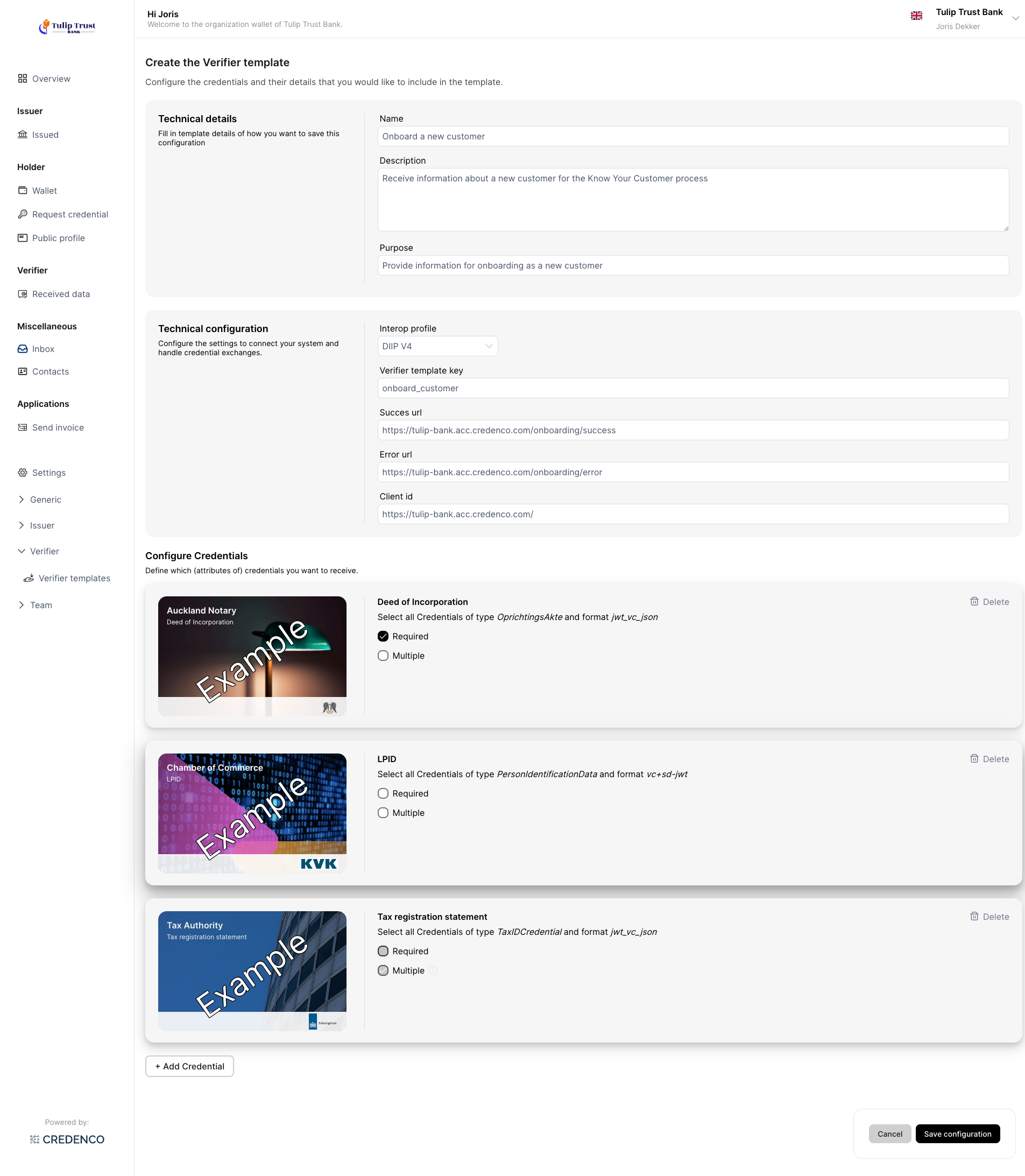
Assume you want to onboard a new customer. For your Know Your Customer (KYC) use case, you need to receive credentials to prove:
- The Deep of Incorporation of the customer
- The LPID of the customer
- The Tax Registration Statement of the customer
Options to Configure
Technical details
- Name:
The name of the Verifier Template. Only used in the UI to describe the template. - Description:
A description of the Verifier Template. Only used in the UI to describe the template. - Purpose:
The text shown to the user explaining why you are asking for the credential(s).
Technical configuration
- Interop Profile:
The Fides Interop profile to use. This profile defines the protocols used for the credential exchange. - Verifier Template key:
The Verifier Template key is used in the Universal OIDC4VP API to identify this template. - Success URL: The URL to which the user is redirected after the credential(s) are successfully received.
- Error URL: The URL to which the user is redirected if something goes wrong while receiving the credential(s).
- Client ID:
The client identifier of the Verifier. It is a unique string representing the client prefixed with a client identifier prefix. The prefix dictates how the
Wallet needs to interpret the Client Identifier and associated data during Client identification, authentication, and authorization.
Examples are decentralized_identifier and redirect_uri.
Configure Credentials
Use the 'Add credential' button to add the Credential type you want to receive.
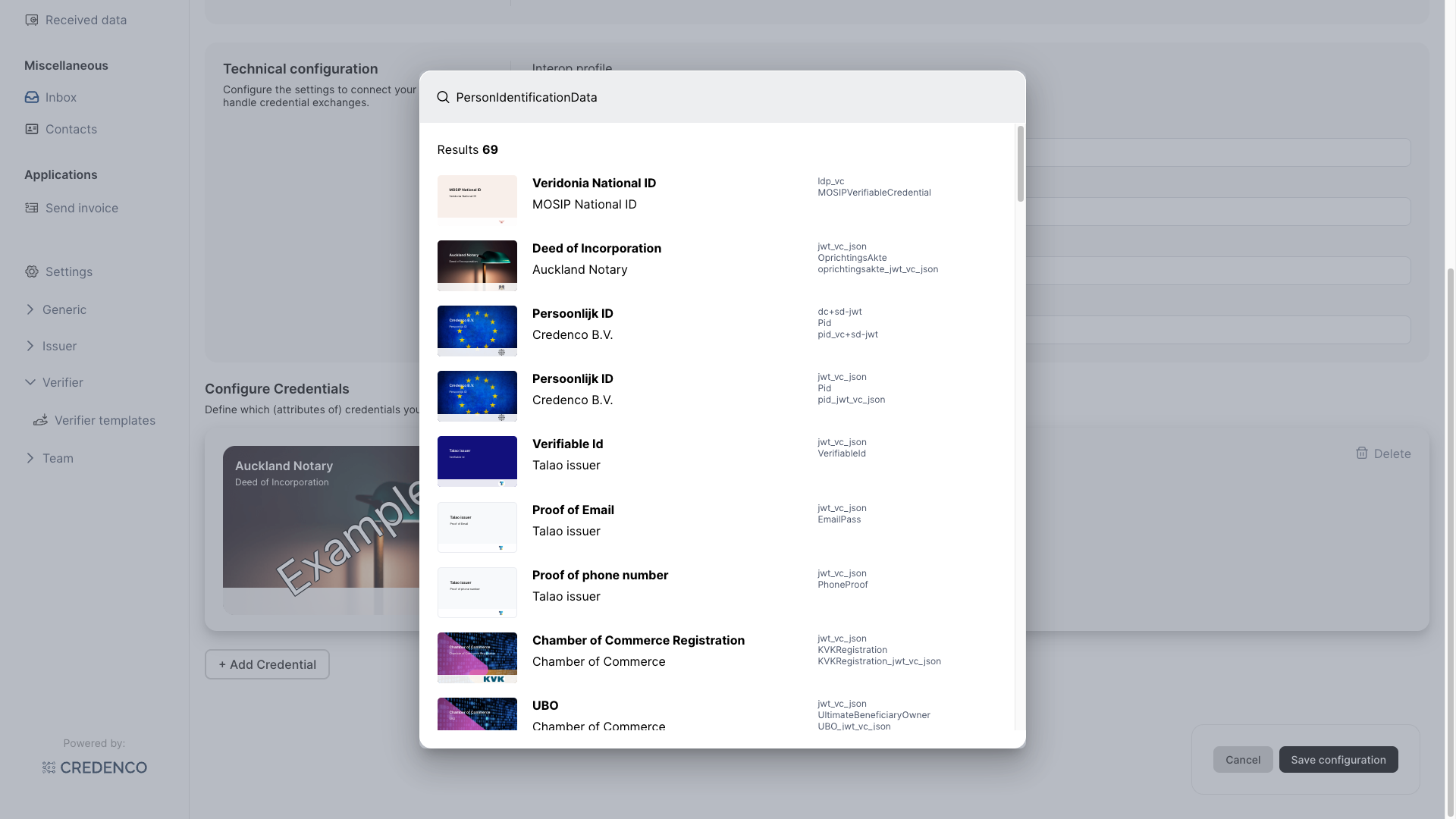
- Required:
Specifies whether the customer is required to provide the credential(s). - Multiple:
Specifies whether the customer is allowed to provide multiple credentials of the type. For example, a credential of type 'Diploma' may be provided multiple times.